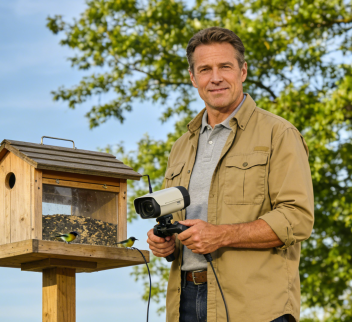
Distance fades when grandparents can see the bright red cardinal or hovering hummingbird visiting their grandchild’s backyard in real time. The key is a simple, guided introduction to the companion app for a WiFi bird feeder camera. With the right approach, you can have them watching live feeds in under 10 minutes, turning bird watching into a joyful, shared family activity. This guide uses the intuitive app for cameras like the WiFi Bird Feeder Camera with Live App Viewing as a model.
Table of Contents
Step 0: Preparation – Set the Stage for Success
Grandparents’ hesitance often stems from fear of complexity. A little prep builds confidence.
- Device Ready: Ensure their smartphone (iOS or Android) is updated. Place the app icon on the first home screen and increase the system font size for easy reading.
- Quiet Environment: Teach in a calm, well-lit room without TV or radio distraction. Your patient, in-person presence is the best tool.
- Pre-Shared Access: You do the tech setup. Fully install the bird feeder camera, create their user account, and share access to your feeder with “View Only” permissions. They should just need to accept an invite.
The 3-Step Teaching Plan: Focus Only on What They Need
They need to master three actions: Watch Live, Check History, Get Notifications. Ignore advanced settings for now.
Step 1: Log In & Find “Their” Feeder
- Help them open the app and log in with the account you created.
- Show them the main screen. Point out the primary device tile—name it something clear like “[Grandchild’s Name]’s Backyard.”
- The Rule: “To see the birds, just tap this big picture on the first screen.”
Step 2: Watch the Live Stream – Two Simple Controls
Once in the live view, teach just two interactions:
- Zoom In/Out: Show the pinch-to-zoom gesture. “Spread your fingers apart to see the bird’s feathers up close.”
- Turn Sound On/Off: Point to the speaker icon. “Tap this to hear the birds chirping and the leaves rustling.”
- Reassure Them: “To go back, just press your phone’s back button. You can’t break anything here.”
Step 3: Relive the Magic – Viewing History & Notifications
- Checking the “Photo Album”: From the home screen, show them the History or Gallery section. Explain it’s like a photo album that fills up automatically with every bird visit, complete with the bird’s name.
- Understanding Alerts: Explain that when a special bird visits, their phone might get a friendly notification. “Just tap that pop-up to jump right to the live stream and see it!”
Pro Tips to Foster Connection & Joy
- Customize Their Alerts: In your app settings, set their notifications for only “Rare Birds” or “Favorite Species.” This prevents overload and makes each alert an exciting event.
- Use Two-Way Audio: During a live viewing session, you can use the microphone feature to talk to them through the camera. “Grandma, look! He’s at the feeder right now!” They just listen and enjoy.
- Create Shared Memories: Enable auto-saving of highlight clips. Later, you can compile these into a digital photo album or even print a “Bird of the Month” to mail to them.
Troubleshooting Their Common Concerns
- “The video is choppy.”
- Solution: Assure them it’s okay. The app adjusts quality for the connection. You can pre-set the stream to 1080p instead of 2K for a more stable feed on their Wi-Fi.
- “I forgot what to do.”
- Solution: Create a cheat sheet. Write down the 3 steps in large print (“1. Open App. 2. Tap ‘[Name]’s Backyard’. 3. Tap to hear birds.”) and leave it by their phone.
- “Will this use up my data?”
- Solution: “Only watch when you’re on your home Wi-Fi. We’ve already connected it for you. The app won’t use data in the background.”
- “What kind of bird is that?”
- Solution: The app’s AI identification labels each bird. You can also edit the display names to friendly terms like “Red Buddy” for a Northern Cardinal.
Conclusion: More Than Birds, It’s Shared Moments
Teaching grandparents to use a bird feeder camera app isn’t about technology—it’s about gifting them a window into your world and creating a shared hobby. It provides gentle, positive stimulation and a daily reason to connect. The simplicity of modern apps makes this easier than ever.
When Grandma texts, “Your cardinal is back early today!” you’re not just sharing bird sightings; you’re nurturing a loving, modern bond that bridges any distance.
Discover the user-friendly bird feeder camera that makes intergenerational connection easy.